Excel users often encounter the dreaded #REF! error, signaling a reference issue within named ranges. This error arises when a cell or range referred to by a named range is deleted, resulting in a broken reference. In practical terms, if, for instance, a named range points to cells in Sheet1!B3 and you delete a corresponding row, column, or even an entire worksheet, the #REF! error manifests. This article addresses the challenge of dealing with named ranges plagued by #REF! errors in Excel, offering a solution through the use of Visual Basic for Applications (VBA).
With #REF! errors, named ranges become useless unless you set their references again manually. However, you can also delete them easily using VBA. We can check all names in a workbook using a For Each…Next loop. If the value contains a #REF! error then we can delete it.
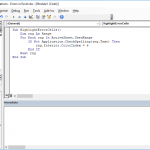
Firstly, you need to add the module into the workbook or the add-in file. Copy and paste the code into the module to run it. The main advantage of the module method is that it allows saving the code in the file, so that it can be used again later. Furthermore, the subroutines in modules can be used by icons in the menu ribbons or keyboard shortcuts. Remember to save your file in either XLSM or XLAM format to save your VBA code. Below is a sample code.
Sub DeleteNamedRangesWithREF()

    Dim nm As Name

    For Each nm In ActiveWorkbook.Names

        If InStr(nm.Value, "#REF!") > 0 Then

            nm.Delete

        End If

    Next nm

End Sub
In conclusion, managing named ranges with #REF! errors in Excel can be efficiently tackled through VBA. By incorporating a simple yet effective VBA code snippet into your workbook, you can systematically identify and delete named ranges afflicted by reference errors. This method not only rectifies the issue but also provides a practical way to streamline your Excel workflow, especially when dealing with large datasets and complex spreadsheets. Embrace the power of VBA to enhance your Excel experience and bid farewell to the pesky #REF! errors plaguing your named ranges.