How to display the Excel Developer tab for using advanced features

How to display the Excel Developer tab for using advanced features

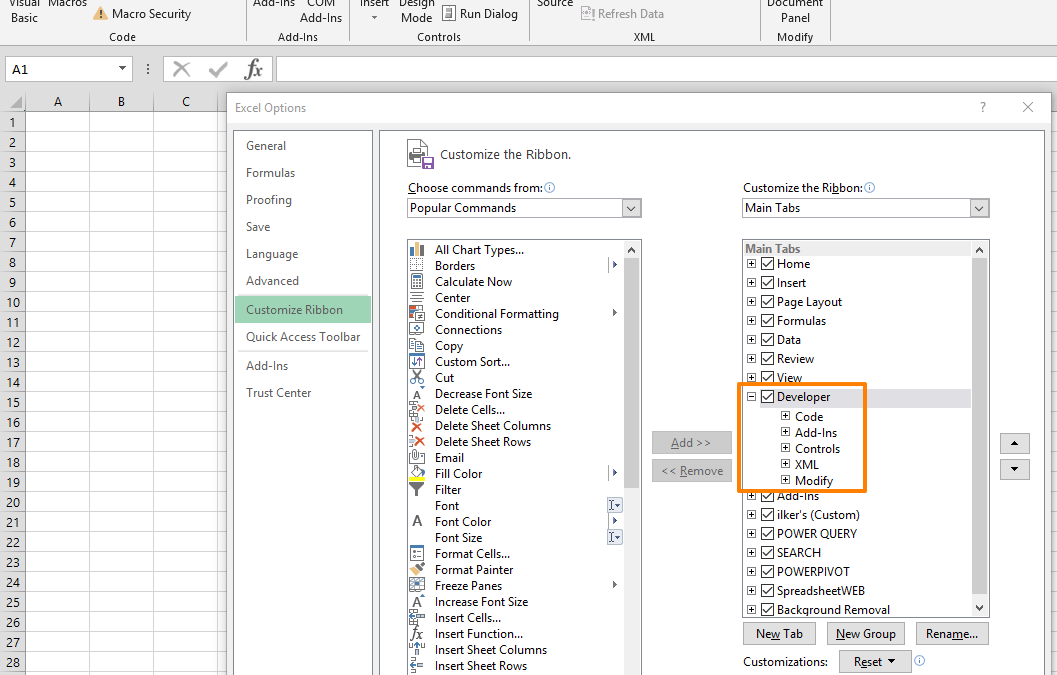
The Excel Developer tab is a Ribbon tab which contains a number of tools aimed towards advanced features of Excel such as VBA, add-ins, form and ActiveX controls. Although you can access the VBA Editor with the shortcut (Alt+F11), the Developer tab in the Ribbon also...
Function: ISERROR

Function: ISERROR

The ISERROR Excel function is an Information formula that returns TRUE if the target value contains an error value, and FALSE if it does not. As the name suggests, the formula asks the question "Is error?" to its argument, and returns a Boolean result. This formula...
Function: ISERR

Function: ISERR

The ISERR Excel function is an Information formula that returns TRUE, if the reference value is an error code (except for #N/A), and FALSE otherwise. As the name suggests, the formula asks the “Is error?” question, and can be especially useful for...
Function: CONVERT

Function: CONVERT

The Excel CONVERT function is an Engineering function that converts a number between unit systems. You can convert feet into meters, pounds into kilograms, gallons into liters Fahrenheit into Celsius, and so on with this formula. In this guide, we’re going to show you...
How to refresh stock data in Excel

How to refresh stock data in Excel

Excel can get the stock market data from 60 different stock exchanges around the world. However, this information will not refresh automatically, and currently you need to refresh stock data manually, or write a VBA code to automate the process. In this article, we...
Function: NETWORKDAYS

Function: NETWORKDAYS

The Excel NETWORKDAYS function is a Date & Time formula that calculates the number of work days between dates. The function excludes weekends by default, and can also be set in a way to exclude a number of holidays. In this guide, we’re going to show you how to...
Function: DAYS360

Function: DAYS360

The DAYS360 function is a Date & Time formula that calculates and returns the number of days between two given dates, based on a 360-day year (12 x 30 days per month). 360-day year base is used in some accounting calculations which assumes that 1-year period is...
Function: WEEKNUM

Function: WEEKNUM

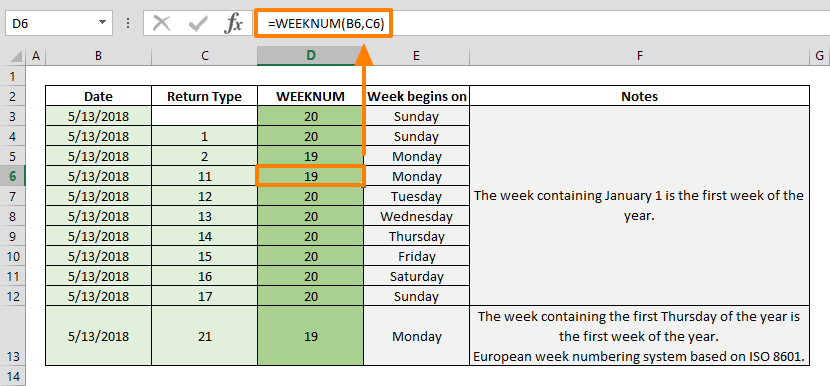
The WEEKNUM is a Date & Time function that finds the week number of a given date. WEEKNUM function returns an integer indicating the week index according to the specified return type. In this guide, we’re going to show you how to use the WEEKNUM function and also...
Function: WEEKDAY

Function: WEEKDAY

The Excel WEEKDAY function is a Date & Time formula that finds the day of the week of a given date. The WEEKDAY function returns an integer indicating the day’s index according to the specified day of the week mapping scheme. In this guide, we’re going to...